

Key Takeaways
Our Verdict
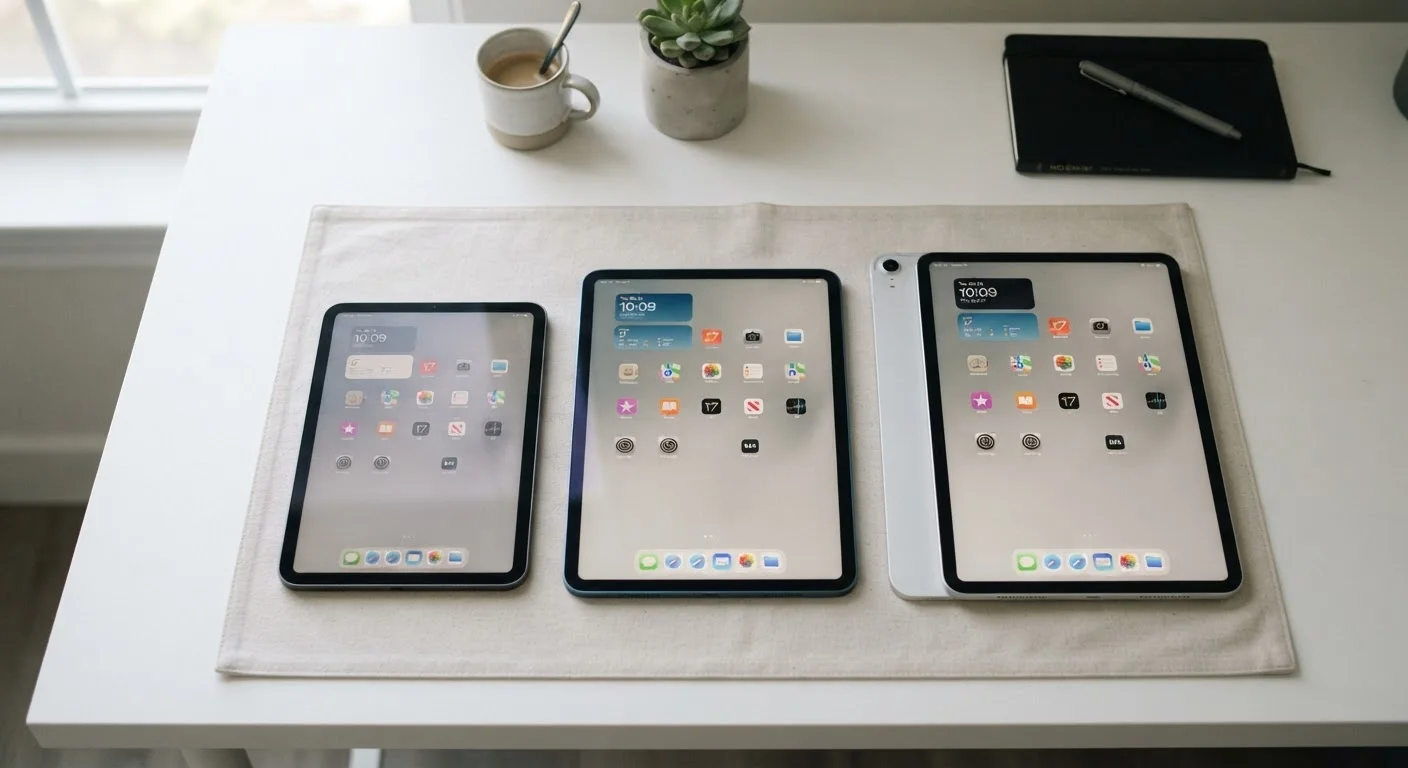
There is no universally correct tablet size — only the right fit for how you actually use it. Most people find that an 11-inch screen handles the widest range of tasks without becoming cumbersome, but frequent travelers and readers may lean smaller, while creators and power users lean larger.
| Best for | Recommended |
|---|---|
| Commuters, travelers, and casual readers | 8-inch |
| Everyday all-purpose users seeking balance | 11-inch |
| Creative professionals and those replacing a laptop | 13-inch |
Why Size Is More Than a Number
Tablet screen size is measured diagonally, corner to corner — but that single number doesn't tell the whole story. A jump from 8 to 11 inches feels dramatically different in your hands than the raw math suggests, because area scales as a square. An 11-inch screen has roughly 90% more surface area than an 8-inch one. The physical weight, grip width, and bag space it demands all shift accordingly.
Before comparing sizes, it helps to anchor your thinking around a few honest questions: Where will you use it most? Will you hold it for extended periods? Do you need a keyboard? And how much does portability matter relative to screen comfort? The answers will quickly narrow the field.
The 8-Inch Tablet: Small by Design
An 8-inch tablet fits in a large coat pocket, slips into any bag without a thought, and can be held in one hand for an extended reading session without fatigue. These are its defining strengths. At typical weights of 300–400 grams (roughly 0.7–0.9 lbs), they're closer to a thick paperback than a piece of tech gear.
The trade-offs are real, though. Text and UI elements are smaller, making spreadsheets or detailed image editing uncomfortable. Typing on the on-screen keyboard requires two thumbs in landscape mode, which many users find cramped. Video content, while watchable, lacks the immersive feel of a larger screen.
This size makes the most sense for dedicated e-reading, light browsing, media consumption during a commute, or as a secondary device. It's less suited for anyone looking to replace a laptop or do creative work.
Test Before You Commit
If possible, visit a retail store and hold each tablet size for at least five minutes — ideally while mimicking your actual use case, like reading or watching a short video. The weight and grip feel in-person often differs significantly from what specs suggest on paper. Many buyers underestimate how quickly an extra 200 grams adds up during a long commute or reading session.
The 11-Inch Tablet: Where Most Use Cases Land
The 11-inch class — which in practice runs from about 10.5 to 11.5 inches across different manufacturers — has become the de facto mainstream tablet size, and for good reason. It offers a comfortable reading experience, genuine usability with a paired keyboard, and a screen large enough for split-screen multitasking without feeling unwieldy.
Weights typically fall in the 450–550 gram range (roughly 1–1.2 lbs), which is holdable one-handed for shorter sessions but becomes tiring over longer periods. Most users end up propping it up or resting it on a surface for extended use, which is worth acknowledging upfront.
Streaming video at this size feels genuinely cinematic compared to a smartphone. Apps designed for tablet layouts — photo editing tools, digital note-taking apps, video chat — have enough room to breathe. For users still weighing connectivity options, understanding the cellular vs. Wi-Fi trade-off is a natural next step after settling on screen size.
| 8-Inch | 11-Inch | 13-Inch | |
|---|---|---|---|
| Typical weight | 300–400g (0.7–0.9 lbs) | 450–550g (1–1.2 lbs) | 600–700g+ (1.3–1.5 lbs) |
| One-handed use | Comfortable for extended periods | Manageable for short periods | Fatiguing quickly |
| On-screen keyboard | Cramped, thumb-typing only | Usable, especially landscape | Near full-size in landscape |
| Portability | Fits in a coat pocket | Fits in most bags easily | Requires a dedicated bag |
| Multitasking / split-screen | Limited, small windows | Workable for basic tasks | Genuinely useful side-by-side |
| Media & video experience | Watchable, not immersive | Comfortable and engaging | Cinematic feel |
| Best primary use | Reading, commuting, casual | All-purpose everyday tasks | Creative work, laptop replacement |
The 13-Inch Tablet: Productivity in a Larger Frame
A 13-inch tablet occupies territory that overlaps noticeably with ultralight laptops. The screen real estate is generous enough for side-by-side document windows, detailed illustration canvases, or running a video call while referencing notes. For professionals who do design work, video editing, or heavy document review, the extra pixels are not a luxury — they're functional.
The practical costs are significant, however. These devices typically weigh 600–700 grams or more (1.3–1.5 lbs), and holding one one-handed at arm's length for more than a few minutes becomes genuinely fatiguing. Bags need to be sized up. Keyboards and cases that fit them are correspondingly bulkier.
This size earns its keep for those who genuinely use a tablet as a laptop replacement, or who work in fields — architecture, art direction, education — where a large, precise touch surface matters. For casual users, it's likely more device than the use case justifies.
Don't Confuse Screen Size With Screen Quality
A larger screen doesn't automatically mean a better visual experience. Resolution, pixel density, and display panel type (LCD vs. OLED, for example) determine image sharpness and color accuracy more than raw dimensions. A lower-resolution 13-inch screen can look noticeably softer than a high-resolution 11-inch display, especially when reading text or viewing detailed images up close.