

Key Takeaways
Option A
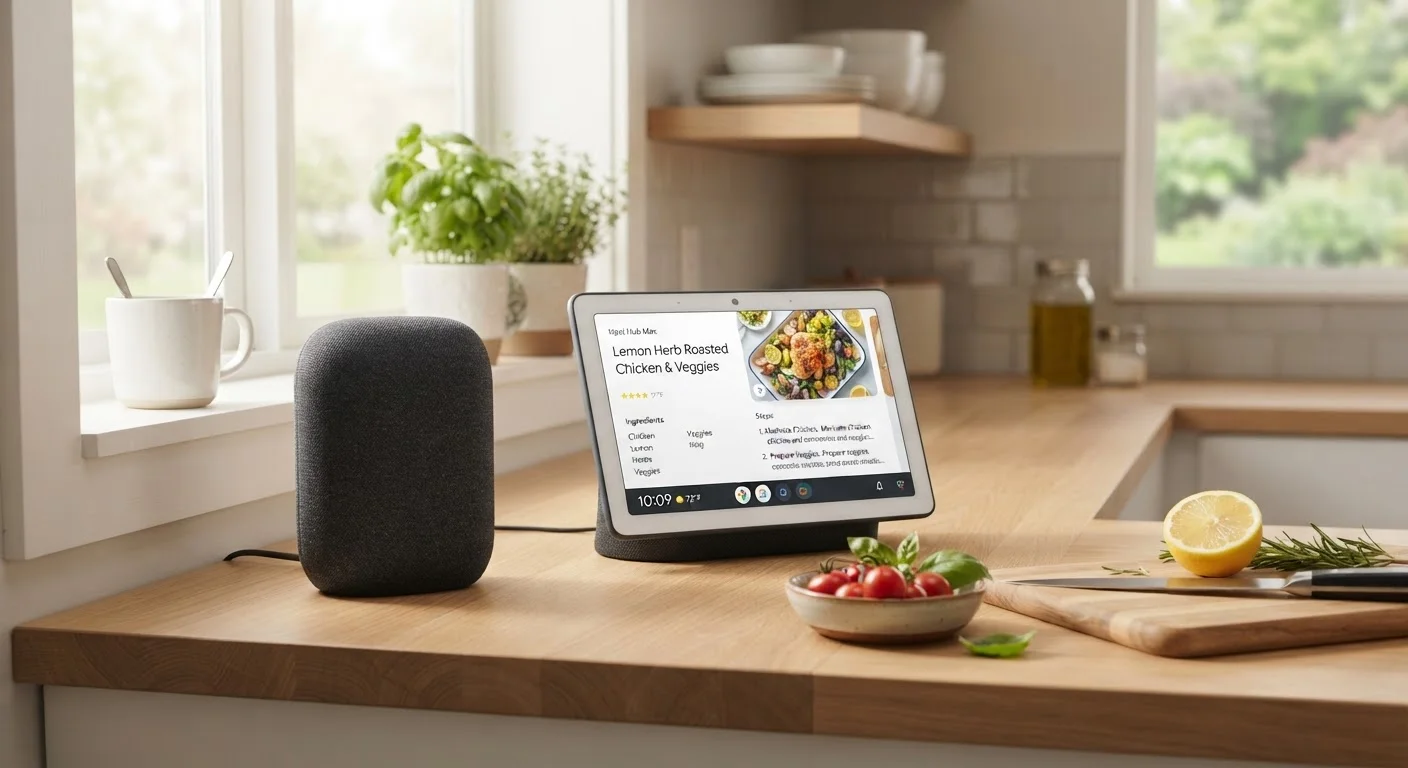
Smart Speaker
The audio-first, voice-forward home hub.
Best for: Listeners and hands-free control fans who want a compact, room-filling assistant with minimal visual footprint.
Option B
Smart Display
The screen-enabled, visually interactive hub.
Best for: Households that benefit from glanceable information, video calls, recipe guidance, or visual smart home dashboards.
If you mainly want music, timers, and voice-controlled smart home commands
Smart Speaker
Smart speakers handle audio tasks and voice commands efficiently, cost less, and take up minimal counter space.
If your household makes frequent video calls or needs a kitchen recipe screen
Smart Display
The built-in camera and touchscreen make video calling and step-by-step visual guidance far more practical than voice alone.
If you're placing a device in a bedroom and prefer minimal light at night
Smart Speaker
Screens emit ambient light and can disrupt sleep; a speaker keeps the room darker and acoustically useful without visual distraction.
If you want a central smart home dashboard you can glance at while cooking or working
Smart Display
Visual dashboards on smart displays let you monitor cameras, thermostats, and device status at a glance without issuing voice commands.
What Sets These Two Devices Apart
Smart speakers and smart displays both run voice assistants — think Amazon Alexa, Google Assistant, or Apple's Siri — and both connect to your home's Wi-Fi to answer questions, control compatible devices, and stream audio. The fundamental difference is the screen. Smart speakers are audio-only: you interact through voice and receive spoken responses. Smart displays add a touchscreen, a camera, and a visual interface that responds to both touch and voice input.
That distinction sounds simple, but it cascades into real differences in where each device works well and what tasks each handles naturally. Understanding those differences is more useful than looking at spec sheets. For a broader look at how these devices fit into connected home systems, see our guide on what a smart home actually is.
| Criterion | Smart Speaker | Smart Display |
|---|---|---|
| Screen | None — audio output only | Touchscreen (varies by model) |
| Camera | Not included | Built-in, for video calls |
| Audio quality | Often superior at same price | Adequate; hardware split with screen |
| Typical price range | Lower overall cost | Higher due to display hardware |
| Ideal placement | Bedroom, shelf, small spaces | Kitchen, living room, desk |
| Visual smart home control | Voice only | Touch and voice |
| Video calling | Not available | Supported natively |
| Physical footprint | Compact, minimal | Larger, requires flat surface |
Where Smart Speakers Shine
Smart speakers are purpose-built for audio. Whether you're streaming music, podcasts, or internet radio, a quality smart speaker — particularly models with dedicated woofers and tweeters — typically outperforms a smart display of the same price purely on sound. They're also physically unobtrusive: a cylindrical or hockey-puck form factor fits on bookshelves, nightstands, or tight kitchen corners without demanding visual attention.
For voice commands — setting timers, checking the weather, dimming lights, or adding items to a shopping list — smart speakers respond just as capably as their screen-equipped counterparts. If your primary interaction with the device is spoken and the feedback you need is audible, the screen adds cost and bulk without adding functional value.
Bedrooms are a natural fit. Screens emit light, which can interfere with sleep, and the visual interface offers no particular advantage when the lights are off. Smart speakers are also generally less expensive, making them easier to deploy in multiple rooms for whole-home audio or distributed assistant coverage.
35%
U.S. adults owning a smart speaker
According to Pew Research Center survey data, roughly 35% of U.S. adults reported owning a smart speaker as of their most recent consumer technology polling.
~2×
Typical smart display price vs. comparable smart speaker
Screen hardware, cameras, and larger chassis consistently push smart display retail prices approximately twice those of audio-only models with equivalent assistant features.
Where Smart Displays Add Real Value
Smart displays earn their extra cost and counter space in situations where seeing something is genuinely more efficient than hearing it. The clearest example is video calling: a built-in camera and screen turns a smart display into a hands-free video phone, useful for family check-ins or quick calls while cooking. Without a screen, that capability simply doesn't exist on a smart speaker.
Kitchens are the most cited ideal location, and for good reason. Step-by-step recipe cards, conversion charts, and cooking timers are all easier to follow on a screen than to request verbally mid-recipe. Visual smart home controls — tapping a camera feed, adjusting a thermostat slider, or checking which lights are on — are faster on a touchscreen than through a voice dialogue. Smart displays also show visual responses to questions, such as weather maps, calendar views, and search results, which can be quicker to absorb than a spoken summary.
For households thinking through a broader smart home setup, our first-time smart home setup guide walks through ecosystem choices and device placement in detail.
Privacy, Ecosystem, and Placement Considerations
Both device types include always-on microphones, which raises legitimate privacy questions. Smart displays with cameras add another layer: the camera is typically positioned to capture the area in front of the device. Most models include a physical shutter or mute button to disable audio and video when not in active use — a practical option worth using. Our companion piece on voice assistants and privacy covers what these devices actually record and how to manage those settings.
Ecosystem compatibility matters more than the screen question for many buyers. If your other smart home devices run on Amazon Alexa, a Google-based display may not control them as smoothly, and vice versa. Verify device compatibility before choosing a platform, not just a device. Screen size also varies significantly across smart display models — smaller screens (around 5–8 inches) suit countertop glances, while larger screens (10–15 inches) function more like a shared household display. Match screen size to intended viewing distance and room size rather than defaulting to the largest available option.
Matter and Ecosystem Interoperability
The Matter smart home standard, developed by the Connectivity Standards Alliance, aims to improve cross-ecosystem compatibility — meaning devices from different platforms can increasingly work together. Both smart speakers and smart displays are adding Matter support, which may reduce the risk of locking yourself into a single brand's ecosystem. That said, full interoperability across all device categories is still evolving, so confirming compatibility with your specific devices remains worthwhile before purchase.