

Key Takeaways
Smart Lighting System
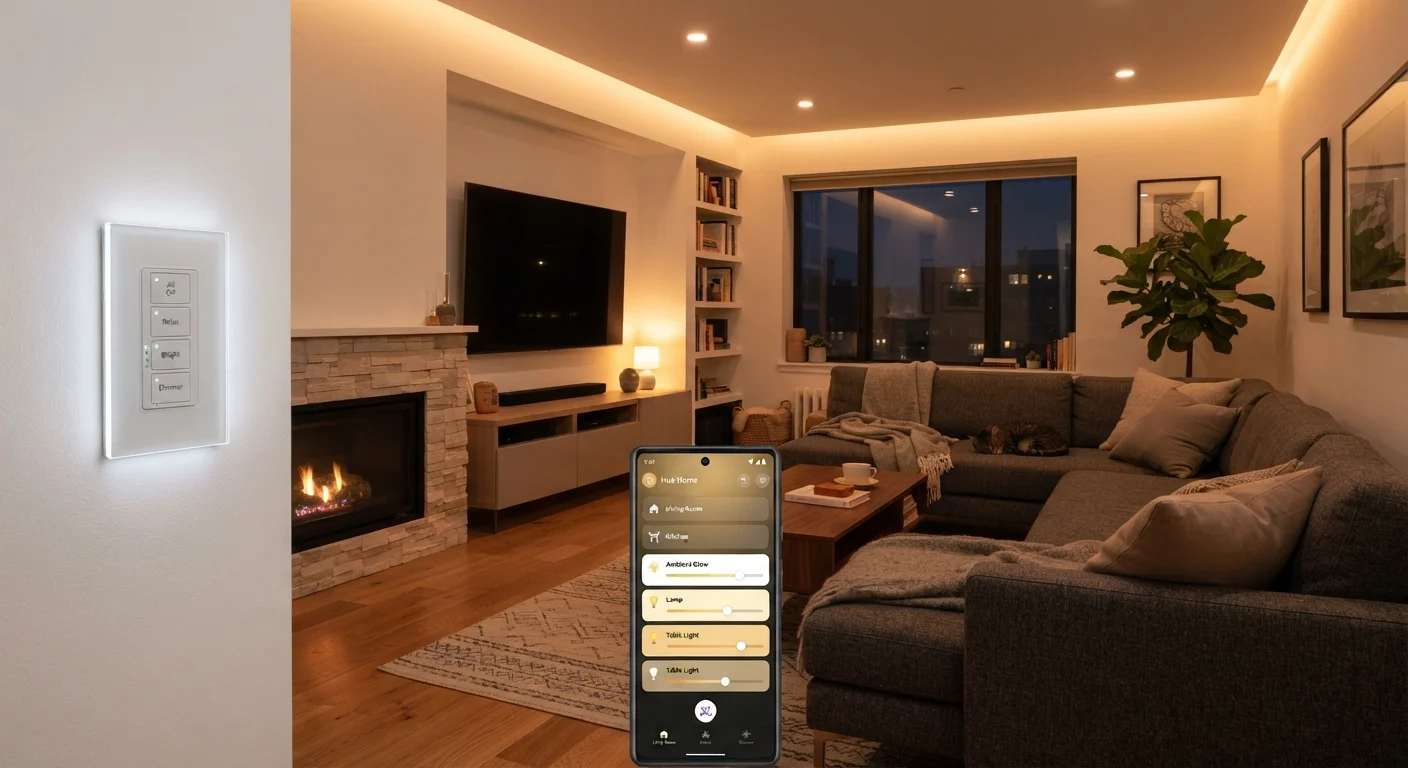
A smart lighting system is a network of light sources and controls that can be managed remotely, automated on schedules, or adjusted through voice commands and apps — without manually flipping a wall switch. These systems replace or augment standard bulbs and switches with hardware that communicates wirelessly with a smartphone, hub, or smart home platform. The result is light that responds to your routines rather than requiring you to respond to it.
Smart lighting devices typically communicate via Wi-Fi, Zigbee, Z-Wave, or Thread protocols. Protocol choice affects range, latency, hub requirements, and compatibility with other smart home ecosystems.
The Three Building Blocks of Smart Lighting
Smart lighting isn't a single product category — it's a layered system. Understanding the three core components helps clarify what each one controls, and where each one fits in your home.
Smart bulbs place the intelligence inside the light source itself. Each bulb contains its own wireless radio and can be dimmed, color-shifted, or switched on and off through an app or voice assistant. The trade-off: the wall switch must remain in the "on" position at all times. If someone flips the switch off, the bulb loses power and drops off the network.
Smart switches and dimmers move the control point to the wall, replacing a standard switch with one that has its own wireless radio. The fixture itself can use ordinary bulbs because the switch handles the intelligence. This approach is generally more family-friendly — anyone can use the wall switch normally — and it scales easily across a room with multiple recessed lights on a single circuit.
Smart plugs and lighting controllers occupy a middle ground, adding remote control to lamps and fixtures that plug into a standard outlet. They're useful for adding smart capability without replacing any wiring or hardware.
For a broader look at how lighting devices fit into the connected home ecosystem, see what a smart home actually is.
How Wireless Protocols Connect Everything
Every smart lighting device needs a way to communicate with your phone, a hub, or a voice assistant. The protocol it uses determines how devices talk to each other — and what other hardware your system requires.
~30%
Typical household energy used for lighting
The U.S. Department of Energy estimates lighting accounts for roughly 15–30% of residential electricity use, depending on home size and bulb types.
75%
Energy saved vs. incandescent by LED bulbs
According to the U.S. Department of Energy, LED bulbs use approximately 75% less energy than comparable incandescent bulbs.
25x
Longer lifespan of LED vs. incandescent bulbs
The DOE notes that LED bulbs can last up to 25 times longer than traditional incandescent bulbs under typical usage conditions.
Wi-Fi bulbs and switches connect directly to your home router, which keeps setup simple but can strain networks with many devices. Zigbee and Z-Wave form low-power mesh networks where each device relays signals to others, extending range across larger homes — but both require a compatible hub. Thread is a newer mesh protocol designed for low latency and reliability; it needs a Thread border router, often built into a modern smart speaker or display.
Protocol mismatches are the most common source of compatibility headaches. A Zigbee bulb won't talk directly to a Z-Wave hub, for instance. The emerging Matter standard aims to bridge these gaps, though its practical scope is still expanding. See our explainer on Wi-Fi, Zigbee, Z-Wave, and Thread for a protocol-by-protocol breakdown, and what the Matter standard actually does if cross-brand compatibility is a priority for you.
Lighting Scenes and Automations Explained
A lighting scene is a stored snapshot of your lighting state: which fixtures are on, at what brightness, and at what color temperature (or color, if your bulbs support it). Activating a scene applies all those settings at once. Common examples include a "movie" scene that dims the living room to 20% and shifts bulbs to a warm amber, or a "morning" scene that brings the kitchen to full daylight-white brightness.
Build Scenes Before You Need Them
Set up your core lighting scenes during initial configuration, not after the fact. Create at minimum a daytime, evening, and night-mode scene for the rooms you use most. Once scenes are in place, linking them to voice commands or home routines takes only a few minutes and pays off immediately in daily convenience.
Automations go further by triggering scenes or individual controls based on conditions — time of day, sunrise and sunset, motion sensor input, or a routine you configure in an app. A bedroom light that gradually brightens 30 minutes before your alarm is an automation. Lights that switch off automatically when no motion is detected in a room for 10 minutes is another.
The practical value of smart lighting comes primarily from automations, not manual app control. Routines that eliminate friction — lights that respond to you rather than requiring your attention — are what distinguish a smart system from a remote-controlled one.
For design guidance on balancing automated lighting with natural light, see how natural and artificial light interact in interior design.
Planning a Smart Lighting Setup That Actually Works
The most common mistake in smart lighting is mixing incompatible approaches — specifically, pairing smart bulbs with smart switches on the same circuit. When a smart switch cuts power, bulbs go offline. Decide on an approach before purchasing: smart bulbs throughout (with conventional switches left permanently on or replaced with smart remotes), or smart switches with standard bulbs.
Start with the rooms where automated control delivers the most value: entryways, kitchens, and bedrooms benefit most from schedules and scenes. Expand room by room rather than attempting a whole-home overhaul at once. If you're planning a more comprehensive connected home, our guide on setting up a smart home for the first time walks through the broader setup process step by step.
Finally, consider what happens if your network or hub goes offline. Systems with local processing continue to work; purely cloud-dependent systems may not. Knowing this ahead of time helps you set realistic expectations — and choose the right system for your household.