

Tech & Electronics

Before You Buy a Smart Lock: A Pre-Installation Checklist

Share
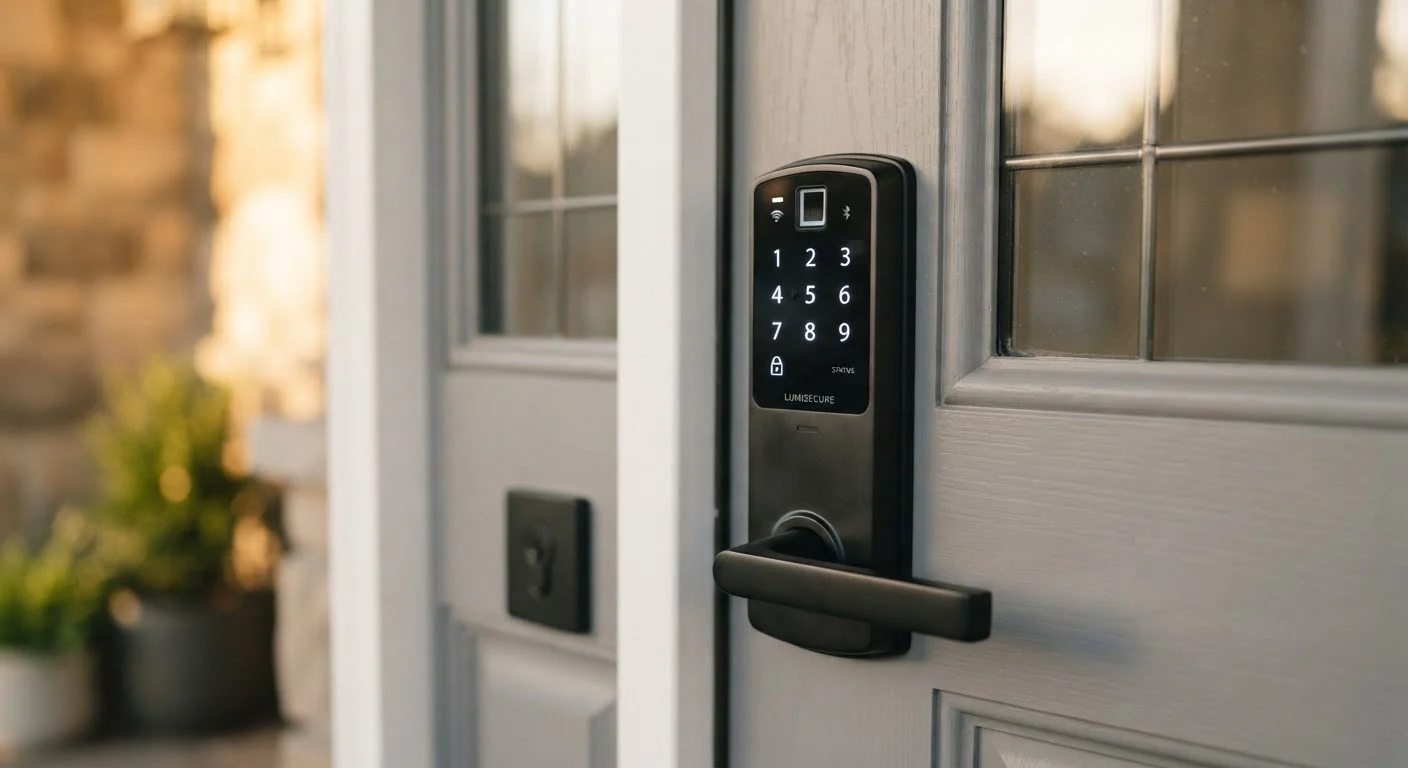
Modern smart lock with keypad mounted on a residential front door in warm light

Key Takeaways

Most smart locks replace the interior portion of a deadbolt — door prep determines compatibility more than brand choice.
Backset, bolt type, and door thickness measurements must be confirmed before selecting a model.
Wi-Fi or hub signal strength at the door affects reliability more than any feature on the spec sheet.
Every smart lock should have at least one non-app backup entry method in case of connectivity failure.
Renter or HOA restrictions may limit which modifications are permissible — verify before purchasing.
20–40 min

Summary

22 items · 20–40 minutes

Why the Checklist Comes Before the Cart

Smart locks are one of the more satisfying home tech upgrades — until you realize the one you ordered doesn't fit your door, or drops its Wi-Fi connection three feet from the router. The good news: nearly every common installation headache is preventable with a few measurements and a handful of straightforward questions answered before you buy.

This checklist walks through four critical areas: door and deadbolt compatibility, connectivity requirements, access method planning, and ownership considerations. Work through each group and you'll arrive at the purchase decision with confidence rather than guesswork. If you're evaluating any tech purchase more broadly, the framework in our pre-purchase evaluation checklist applies here too.

Door & Deadbolt Compatibility

Measure your backset — the distance from the door edge to the center of the deadbolt hole. Most locks require a 2-3/8" or 2-3/4" backset; confirm your door matches before selecting a model. Must
Confirm you have a single-cylinder deadbolt, not a double-cylinder (keyed on both sides). Most smart locks are designed for single-cylinder replacement only. Must
Measure door thickness. Most smart locks support doors between 1-3/8" and 2" thick; non-standard doors (fiberglass, steel-clad) may require an adapter kit. Must
Check for door alignment issues — a door that sticks, drags, or doesn't latch smoothly will cause problems for any motorized lock. Fix alignment before installing. Must
Verify that your existing bore holes (the round cutouts in the door) are standard 2-1/8" diameter, or note the actual size to check against the lock's specs. Should
Note your door's handing (which way it swings) — some models have limited compatibility with inswing versus outswing configurations. Should

Connectivity & Hub Requirements

Test Wi-Fi signal strength at the door using your phone's signal indicator or a free Wi-Fi analyzer app. Weak signal here is a leading cause of smart lock unreliability. Must
Identify whether the lock connects via Wi-Fi directly, Z-Wave, Zigbee, or Bluetooth — and confirm you have the required hub or bridge if it's not a direct Wi-Fi device. Must
Check ecosystem compatibility. If you use a voice assistant platform (Google Home, Amazon Alexa, Apple HomeKit), verify the lock supports it natively or via integration. Should
Plan for router dead zones: if signal is weak, budget for a Wi-Fi extender or mesh node before finalizing your purchase. Should
Confirm whether the lock requires a continuous cloud connection for basic operation, or can function locally if your internet goes down. Nice to have

Access Methods & Backup Entry

Ensure the lock offers at least one non-app backup entry method — physical keyway, keypad PIN, or key fob — in case of dead battery or connectivity failure. Must
Check battery type and expected lifespan. Most smart locks run on AA or AAA batteries and should last several months under normal use; note whether low-battery alerts are supported. Must
Decide how many user access codes or credentials you'll need (family members, dog walkers, housekeepers) and verify the lock supports that number. Should
Review whether temporary or time-limited access codes are available — useful for service providers or short-term guests. Should
Confirm the lock logs entry events and that you can access that history from the app, especially if you need to monitor who enters and when. Nice to have

Ownership, Permissions & Long-Term Fit

If you rent, review your lease for clauses about door hardware modifications. Some landlords require written approval before any lock replacement. Must
Check HOA rules or building management policies — some communities restrict visible hardware changes on exterior-facing doors. Must
Review the manufacturer's privacy policy to understand what activity data is collected, stored, and whether it is shared with third parties. Should
Confirm the app has an active development track — a lock tied to an abandoned app or discontinued cloud service becomes a liability over time. Should
Factor in total cost of ownership: replacement batteries, any required hub hardware, and optional subscription fees for advanced features like remote access history. Nice to have

Tools You'll Need for This Audit

You don't need specialized expertise to run through these checks — just a few basic measuring and testing tools. Gather these before you start so you can move through the checklist without interruptions.

Required

Tape measure

Measure backset distance, door thickness, and bore hole diameter accurately.

Required

Wi-Fi analyzer app

Test wireless signal strength at the door location to identify dead zones before purchasing.

Required

Flathead and Phillips screwdrivers

Remove the existing deadbolt to inspect the door prep and verify bore hole dimensions.

Optional

Smartphone with manufacturer's compatibility tool

Run through the lock brand's official compatibility checker to confirm fit with your door hardware.

Optional

Door alignment shim or strike plate adjustment kit

Correct minor door misalignment before installing a motorized lock to prevent latch stress.

Key Compatibility Warnings to Keep in Mind

Two areas deserve extra caution before you commit to a purchase.

Double-Cylinder Deadbolts Are Not Compatible

If your current deadbolt has a keyhole on both the interior and exterior sides, it is a double-cylinder lock. Virtually all consumer smart locks are designed to replace single-cylinder deadbolts only. Installing a motorized lock in a double-cylinder application is not supported and may void the warranty. You will need to replace the deadbolt hardware first before any smart lock will fit correctly.

Non-Standard Doors Require Extra Research

Fiberglass, steel-clad, and solid-core doors with non-standard thickness or bore patterns may not work with off-the-shelf smart locks without an adapter kit. Verify exact specifications with the manufacturer before purchasing, and be aware that some adapters affect how the lock sits flush against the door surface — which can impact both function and appearance.

Once you've confirmed compatibility and connectivity, your smart lock becomes a natural first node in a broader smart home setup. Our guide on setting up a smart home for the first time covers how to extend that foundation without creating ecosystem conflicts. And if you travel frequently, pairing remote lock access with the steps in the pre-departure checklist can give you meaningful peace of mind before any trip.

Don't Skip the Backup Entry Check

A smart lock with no physical key override or keypad backup can leave you locked out during a power outage, dead battery, or app failure. Always confirm that at least one offline or non-digital entry method exists before purchasing. This is especially important for households with elderly residents or young children who may not have reliable app access.

Cloud Dependency Can Be a Hidden Risk

Some smart locks require an active internet connection and cloud service to unlock remotely — or even locally via the app. If the manufacturer discontinues the service or the app loses support, the lock's smart features may stop functioning. Review the product's terms of service and look for models that offer local operation as a fallback.

Tech & Electronics Editorial Team is the collective byline for our editorial team and contributor network. Articles published under this byline or an editorial pen name are researched, written, and reviewed according to our editorial standards for clarity, consistency, and independence before publication.

View all articles by Tech & Electronics Editorial Team →
Disclaimer: The content on this site is for informational purposes only and is not a substitute for professional advice. Always consult a qualified professional for guidance specific to your situation.