

Key Takeaways
Our Verdict
Thin-and-light laptops serve the majority of users well, delivering capable performance for everyday tasks alongside genuine portability. Performance laptops are the right tool when sustained compute power — for video editing, 3D rendering, machine learning, or high-end gaming — is a non-negotiable requirement. Neither category is universally superior; the correct choice is determined entirely by the intensity and duration of your actual workloads.
| Best for | Recommended |
|---|---|
| Commuters, students, and remote workers with document, browser, and communication tasks | Thin-and-Light Laptop |
| Video editors, 3D artists, engineers, and developers running heavy compile or render jobs | Performance Laptop |
| Users who need maximum battery life away from outlets | Thin-and-Light Laptop |
| Those running GPU-accelerated applications or AAA games regularly | Performance Laptop |
What Actually Separates These Two Categories
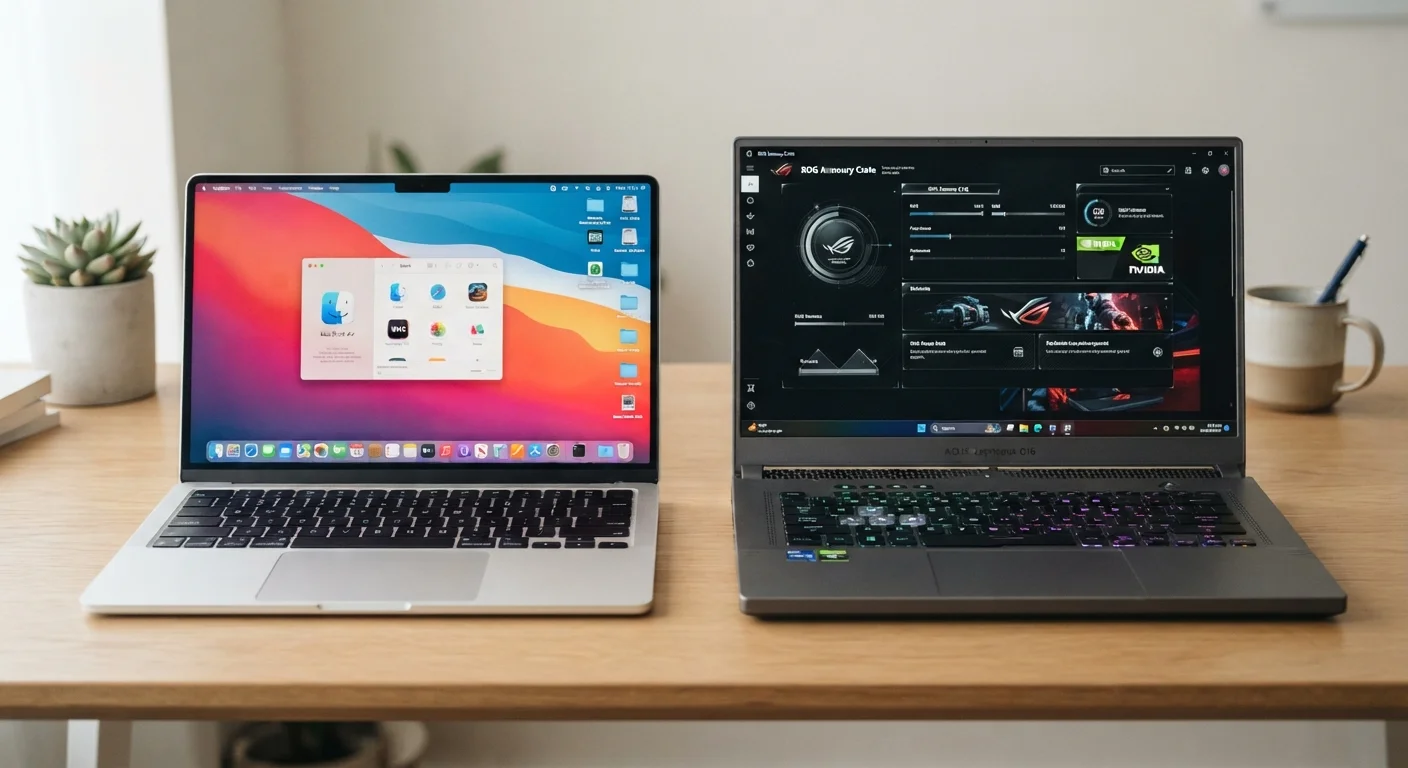
The terms "thin-and-light" and "performance laptop" describe fundamentally different engineering priorities, not just size differences. A thin-and-light machine — sometimes called an ultrabook — is built around a constrained thermal envelope: the chassis is too slim to accommodate large cooling systems, so the processor must operate at lower sustained power limits (measured in watts, called TDP). This keeps temperatures manageable and fans quiet, but it also means the CPU can't run at peak speed for extended periods without throttling.
A performance laptop, by contrast, allocates significant internal volume to heat pipes, fans, and sometimes liquid-metal thermal compound. This allows the processor — and often a discrete GPU — to sustain high clock speeds under prolonged load. The trade-off is weight (typically 4.5–7+ lbs vs. 2.5–3.5 lbs for thin-and-lights), reduced battery capacity relative to draw, and more fan noise during demanding tasks.
Before diving into specific use cases, it helps to understand every relevant spec on the sheet. Our guide to reading laptop spec sheets walks through CPU, GPU, RAM, and thermal ratings in plain language.
Thermal Management: The Hidden Performance Ceiling
Heat is the core constraint that shapes every design decision in both categories. When a processor generates more heat than the cooling system can dissipate, it automatically reduces its clock speed — a process called thermal throttling. In thin-and-light laptops, this ceiling is reached quickly under sustained load; a processor that benchmarks well in a short burst may perform significantly slower during a 30-minute video export.
Performance laptops raise that ceiling considerably. Larger fans, wider heat pipes, and more exhaust vents allow the CPU and GPU to maintain peak speeds for longer. Some models offer user-selectable performance modes that trade noise for sustained throughput. The practical implication: for short, bursty tasks (opening apps, loading web pages, running Office), both categories feel nearly identical. For tasks measured in minutes — rendering, compiling, transcoding — the gap widens substantially.
Test With Your Real Workflow First
If possible, run your most demanding application on any laptop before purchasing — even a 10-minute hands-on test reveals throttling behavior that benchmarks alone won't show. Ask about return policies so you can validate performance under your actual workload at home. A machine that excels in short benchmark bursts may throttle noticeably during a sustained export job.
It's also worth noting that thermal performance degrades over time as dust accumulates and thermal paste dries out. Our article on what shortens laptop lifespan covers how to slow this degradation in both laptop types.
Comparing the Two Categories Across Key Criteria
The table below maps both laptop types against the criteria that matter most when matching a machine to a workload. Note that individual models within each category vary — these represent typical category characteristics, not guarantees for any specific device.
| Thin-and-Light Laptop | Performance Laptop | |
|---|---|---|
| Typical Weight | 2.5–3.5 lbs | 4.5–7+ lbs |
| Sustained CPU Performance | Moderate (thermal limits reached quickly) | High (large cooling sustains peak speeds) |
| Discrete GPU Availability | Rare; usually integrated graphics | Common; often mid-to-high-end GPU |
| Battery Life (mixed use) | 10–15 hours typical | 4–7 hours typical |
| Fan Noise Under Load | Low to moderate | Moderate to loud |
| Portability for Daily Carry | Excellent | Moderate to poor |
| Best For | Productivity, travel, light creative work | Video editing, rendering, gaming, engineering |
Matching Workload to Category
The single most useful exercise before buying is auditing your actual workload rather than your aspirational one. Consider the following scenarios:
- Web browsing, email, video calls, and Office apps: Thin-and-light hardware handles all of these without throttling. The efficiency cores in modern ultrabook processors are optimized precisely for these sustained-but-light tasks.
- Photo editing (light retouching): Still comfortably within thin-and-light territory. Most photo editors run acceptably on integrated graphics with sufficient RAM.
- Video editing (4K timelines, color grading): Here the gap emerges. A discrete GPU and sustained CPU headroom make a measurable difference in render times and real-time playback smoothness.
- 3D rendering, machine learning inference, large code compilation: These tasks consume full CPU and GPU resources for extended periods — the exact scenario where a performance laptop's thermal headroom translates into real time savings.
- Gaming: Even mid-range discrete GPUs in performance laptops outclass integrated graphics significantly. If gaming is a regular activity, the performance category is the appropriate starting point.
If you're still mapping your needs to a spec sheet, which specs predict real-world performance offers a practical framework for prioritizing what matters.
~40%
Typical sustained CPU performance gap under prolonged load
Independent thermal benchmarks consistently show thin-and-light processors delivering roughly 40% less sustained throughput than performance-class counterparts running the same workload for 30+ minutes.
2–3×
Battery life advantage of thin-and-light laptops
Efficiency-focused ultrabook processors can achieve two to three times the battery runtime of performance laptops under comparable mixed-use conditions, primarily due to lower TDP ceilings.
Battery Life, Weight, and the Portability Trade-Off
Battery life is where thin-and-light laptops hold their most convincing advantage. Efficient processor architectures and smaller displays draw less power, and many ultrabooks achieve 10–15 hours of mixed-use battery life. Performance laptops — even with large battery packs — often deliver 4–7 hours under moderate load because their components draw substantially more power.
Weight compounds this difference for daily carry. A 2.8 lb ultrabook in a backpack is barely noticeable; a 6 lb performance laptop with a power brick (often 200W+) adds real fatigue over a commute. For users who work primarily at a fixed desk, this matters less. For those moving between locations throughout the day, it's a daily quality-of-life factor.
One practical middle ground: some laptop lines offer a "creator" or "prosumer" tier — machines slightly thicker than a pure ultrabook but with a modest discrete GPU and improved cooling. These can handle moderate video editing while remaining portable enough for regular travel. They don't fully match either category's extremes, but they're a reasonable compromise for mixed workloads. See our pre-purchase checklist for a structured way to verify that any shortlisted machine actually meets your portability and performance thresholds before committing.